
Why use more than one AI provider?
Choose a provider for the model, task, price, and privacy terms that fit each conversation.
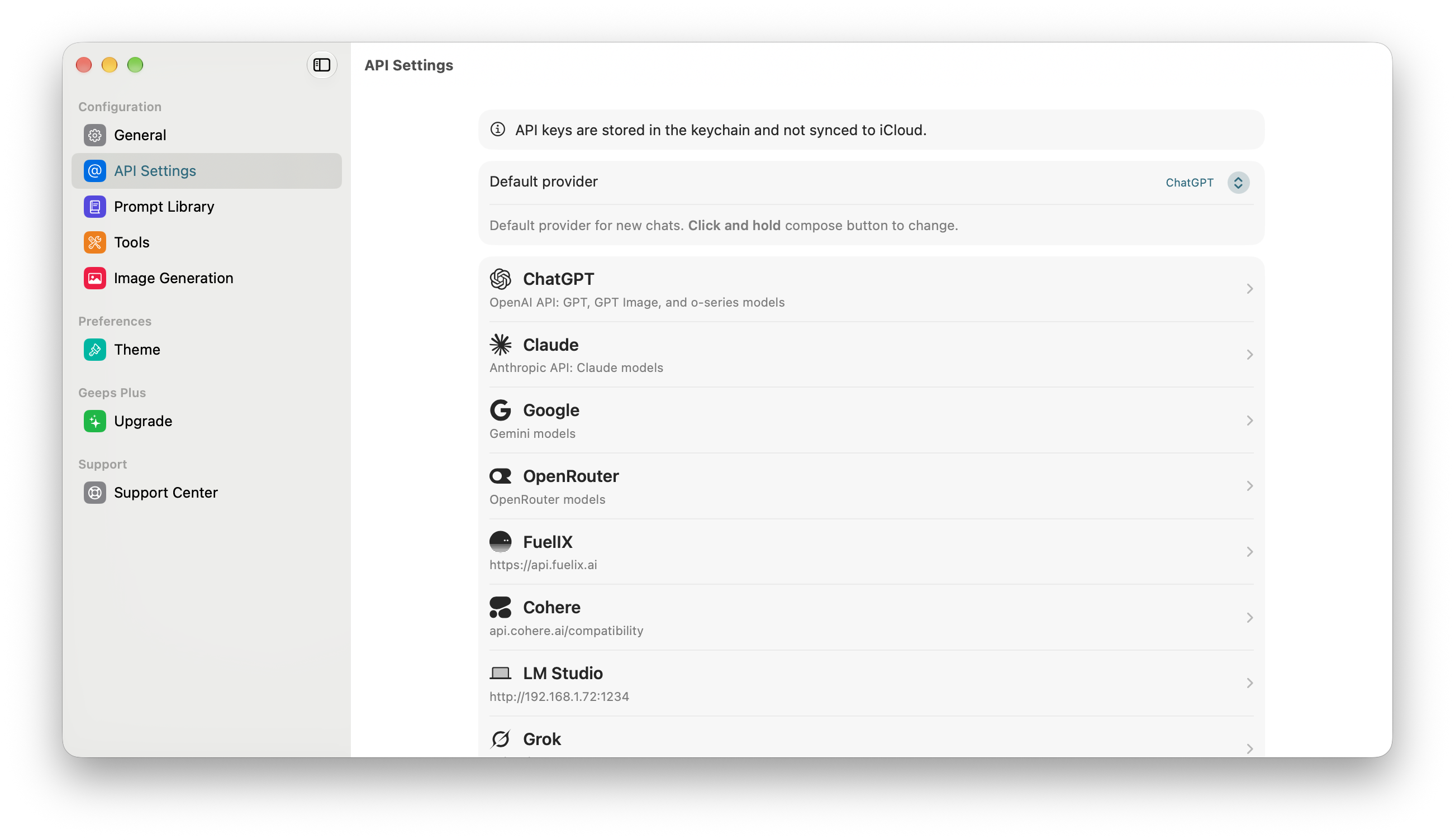
No AI provider is the best choice for every task. One model can be strong at coding, another can offer a larger context window, and another can provide a lower-cost option for simple work. You may also want to compare outputs from different models and switch between them depending on your needs.
Geeps lets you keep these providers in one app. You can choose a default provider and start a new conversation with a different provider when the task changes.
Choose the provider for the task
Consider four factors:
- Model capability: Check whether the model supports the reasoning, image understanding or tool features that you need.
- API compatibility: Choose Chat Completions, Responses, or the provider's built-in integration as applicable.
- Price: Compare the provider's current input, output, tool, and image charges.
- Privacy terms: Check how the provider stores and uses API data. Each provider sets its own policy.
You can also assign different system prompts as defaults for providers, essentially creating specific assistant presets that will be used in various scenarios.
Use built-in or custom providers
Geeps includes settings for OpenAI, Anthropic, Google, and OpenRouter. You can also add multiple providers that support an OpenAI-compatible Chat Completions or Responses API, including LLM routers.
OpenRouter can be useful when you want access to models from several providers through one API account. A custom provider is useful when you need a specific compatible service or deployment.
Keep each conversation consistent
A conversation stays connected to the provider that created it. To use a different provider, start a new conversation. This prevents a provider change from silently altering an existing conversation. In the future you will be able to branch conversations and continue with a different provider.
You can set the default provider in API Settings. On iPhone and iPad, long-press the compose button to start with another provider. On Mac, click and hold the compose button.
For the exact configuration steps, read Use multiple providers.