
Use custom OpenAI compatible host
You can modify OpenAI settings to use a custom compatible base URL.
The API you want to use must be compatible with OpenAI Chat Completions API.
We will use xAI Grok API for this example.
Modify the main OpenAI configuration
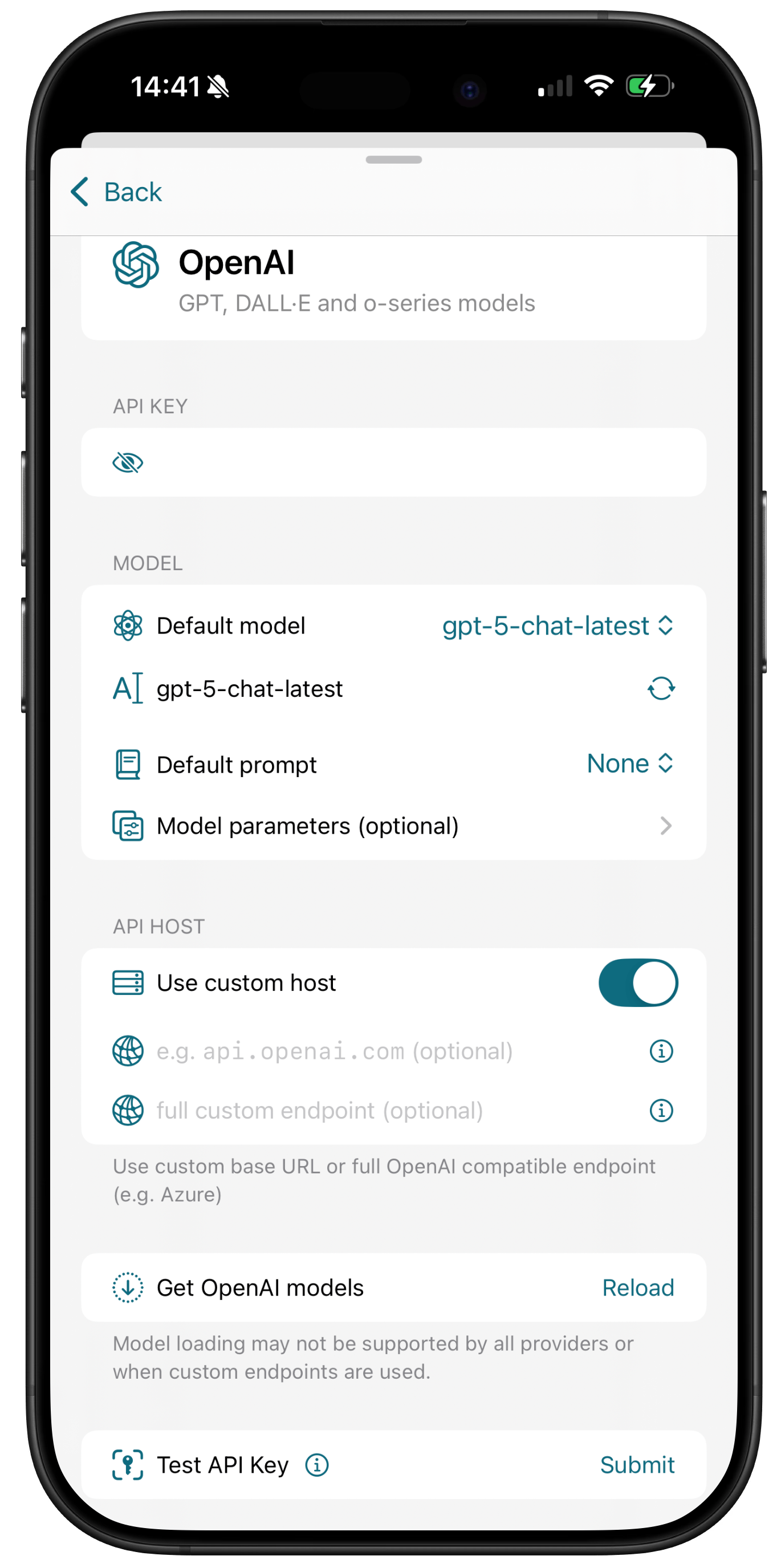
To use xAI instead of OpenAI as the main provider:
- open
Settings > Configuration(macOS) orSettings > API Settings(iOS) - open OpenAI settings
- enter your xAI API key
- toggle
Use custom hostswitch - enter Base URL
https://api.x.aiin the field. Below the fields you will see your endpoint preview that should look likehttps://api.x.ai/v1/chat/completions - enter model manually in the textfield exactly as it's named in the xAI API documentation, e.g.
grok-3 - click/tap Submit to test your API key
Use full OpenAI compatible endpoint (e.g. Azure)
Some providers like Azure offer OpenAI compatible endpoints that are slightly different from OpenAI SDK, but many features are still supported.
To use Azure OpenAI endpoint:
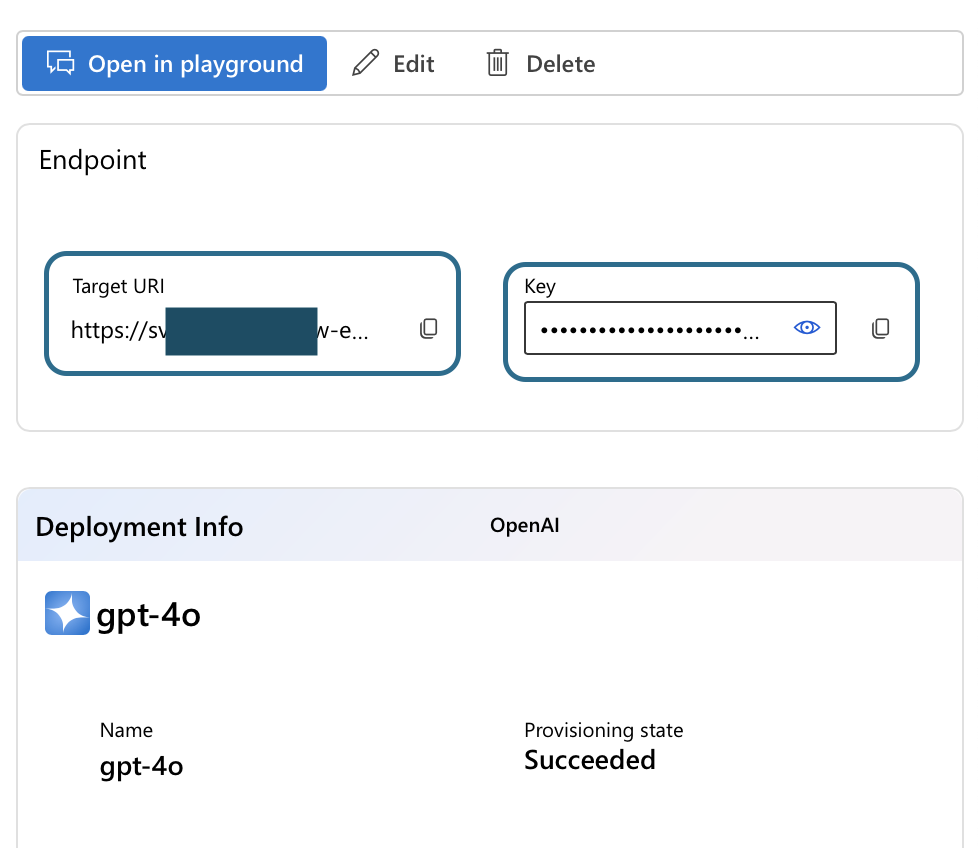
- create a deployment in Azure AI Foundry with your chosen model.
- in the deployment details copy the full endpoint URL and enter it in the Azure endpoint field in the settings. The URL should look like this:
https://<your-resource>.cognitiveservices.azure.com/openai/deployments/<your-deployed-model>/chat/completions?api-version=2025-01-01-preview - if you enter Azure endpoint, leave the Base URL field empty. You can also leave the model field empty as it is included in the URL.
- enter your Azure API key in the API key field
- make sure you have set the correct quota in Azure and you have a positive balance on your account
Other providers
OpenAI compatible host should work with providers like xAI API (Grok), DeepSeek API, TogetherAI, Perplexity, Mistral and others as long as they are compatible with OpenAI SDK and Completions API. Some features may not be available, depending on provider.
Starting with v1.4 you can add multiple OpenAI compatible providers. Read how to enable multiple providers